
Think I’m starting to get my head round some of the PCG (and PCGEx) stuff, however it’s fair to say while I’m getting a handle on the concepts, there is still something of a gap between that and using the right nodes/executing it properly!
My starting point was fairly simple. I created a Blueprint that just had a spline component + mesh in it, then added some other blueprints to create main points to focus side streets around. I dropped these into my PCG Volume.
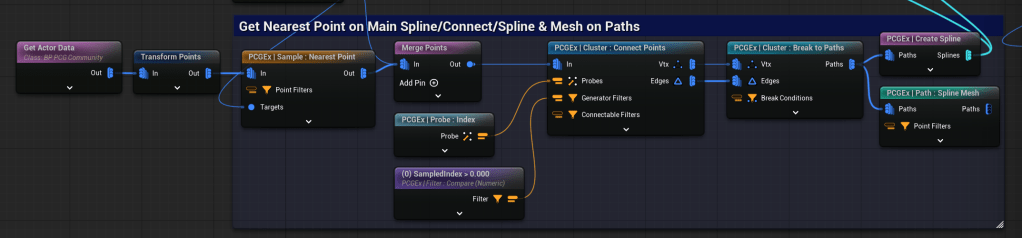
First step is getting the actor data for these 3 manually placed points. These points are merged (rather than dealing with 4 data sets + bringing main road spline in). These are then dealt with in a Cluster: Connect Points node. This uses a Probe to join on Index, where everything points to the Main Road. Only nearest point sample IDs are used in the Generation filter, to avoid the Main Road being able to Generate points. I suspect this is very hacky way to do it – I think the tag way I use later might be better.
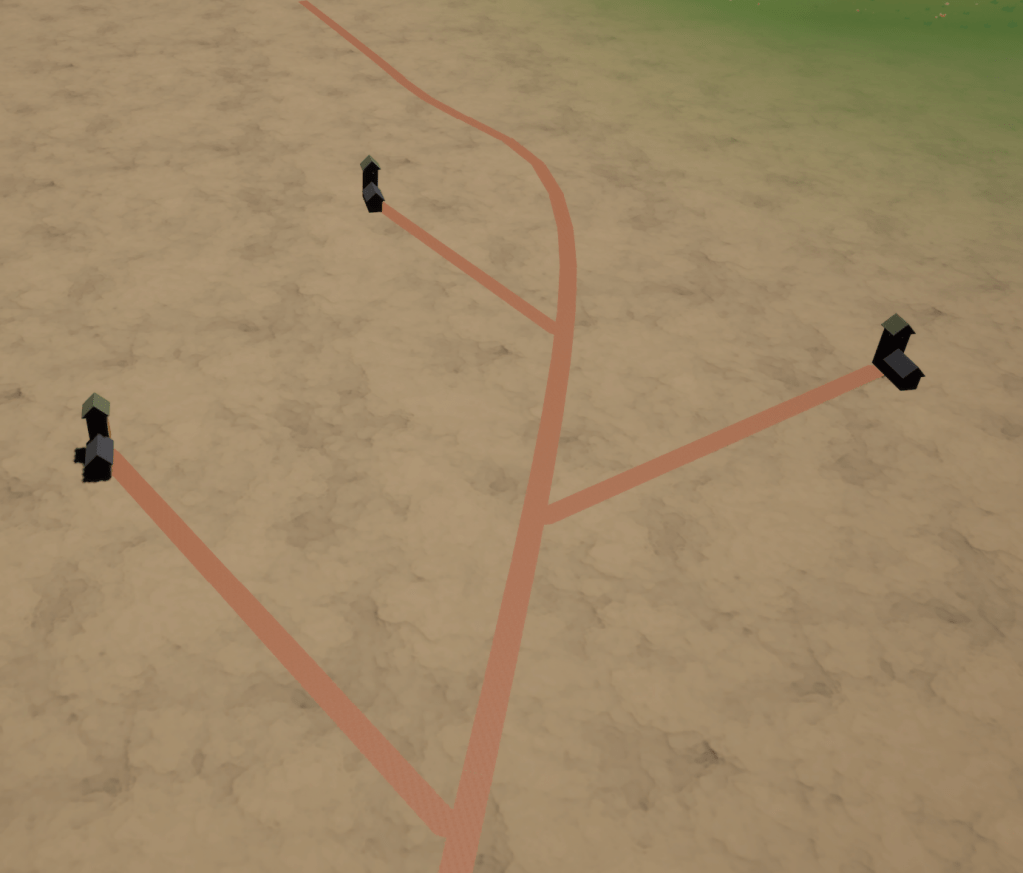
Next step is to see if I can generate some streets coming off of this.
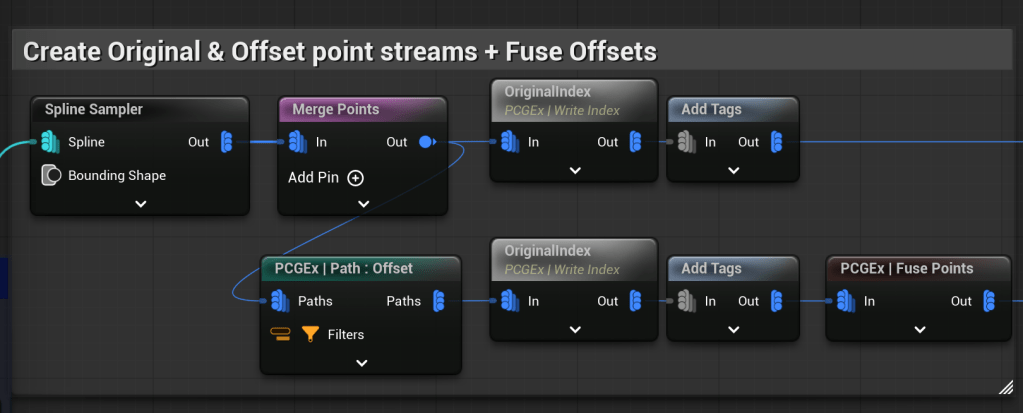
The first part of this is to create 2 streams of point data. The top stream is the original points – Write Index stores the original index ID, which I use later to match the additional points. Add Tags is then used to denote that data set as “Original” points.
The second stream does the same, except creates a shadow point for each one, offset by a value.
Tags are added, then I use Fuse Points to reduce the number of “target” points there are for the sub-streets, otherwise it looks very grid like.
The next step had me scratching my head for a while. I’d be delighted if someone told me an easier/simpler/more organic way to do this – any of the work I did around Voronai/Delauney etc just didn’t quite fit what I wanted, but I’m sure would look much better if I got it working!
I had various attempts, and this was the best one I landed on. I use some attribute noise to move the Offset points around a bit. (There are attribute and spatial noise nodes – I couldn’t get the latter working). Merge points produces a data set of “Original” points along the spline, each with a OriginalIndex attribute and a Tag of Original, alongside “Offset” points with the same OriginalIndex, and a Tag of Offset.
The Connect Points then goes to work, using 3 inputs – first a Probe: Index – this tells the points to connect to another point at Index X, X being the “OriginalIndex” attribute.
This will of course double everything up. Therefore the next 2 inputs – Generator Filter, checks Tag = Original, so only one set of points can be a Connection Origin, and Connectable Filters checks Tag = Offset, so only Offset points can receive filters.
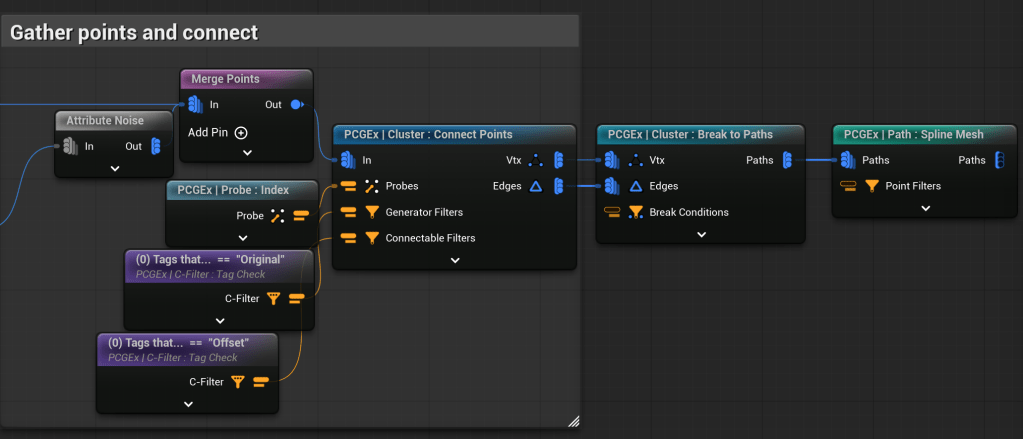
Finally, the Cluster node breaks the Vertices and Edges into Paths, and the final node Spawns a Spline Mesh on that path.
This produced the below. The shape is there – a little bit rough where splines are cutting across the z-axis for the landscape, and I need to do some removal of “streets” that cross other streets.

Next Steps
Looking to put some static meshes running alongside the streets, but making sure they don’t overlap, and are facing the right direction. I’m fully expecting more difficulty with this – a first attempt already showed something I struggle with in Unreal – scaling.
Please comment below if you have any questions or if you think I’m doing something really stupid, and there is a far easier way to do it!
 Flag Hippo Games
Leave a comment