

Change of tack on this Devlog. Pausing on the PCG work, as I realised I might need a bit of strategy for PCG(Ex) generated items in terms of repeatability. I also watched this great tutorial here – https://youtu.be/F-zvyfZH9Vg?si=bQC4bHgNuDaa0fTA which gave me a bit of a pause for thought on trying to get something more natural looking.
Therefore, the last couple of weeks I’ve been working on some of my train track mechanics. I want to get a feel for what works for track placement. I was originally thinking like “classic” transport games – grids or hexes or similar. However, I realised I wanted the game to look a bit more organic, to go more with the painterly vibes, and I started thinking through what would work best.
I landed on a snapping mechanic with a clear visual cue – you go into Build mode, and possible track end connections will highlight as you hover.
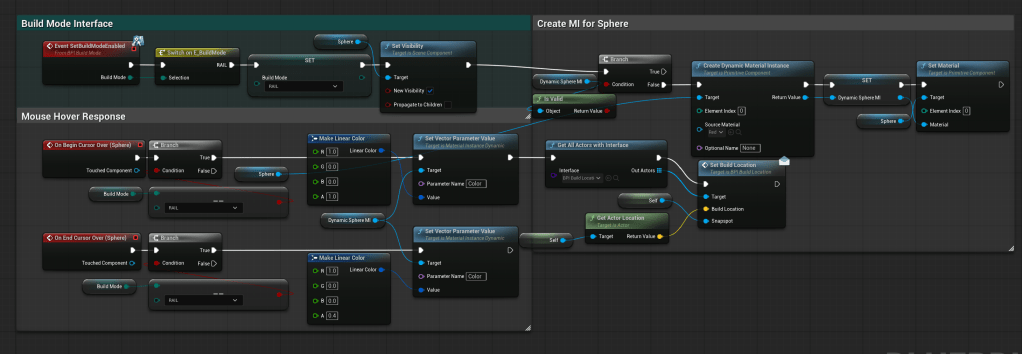
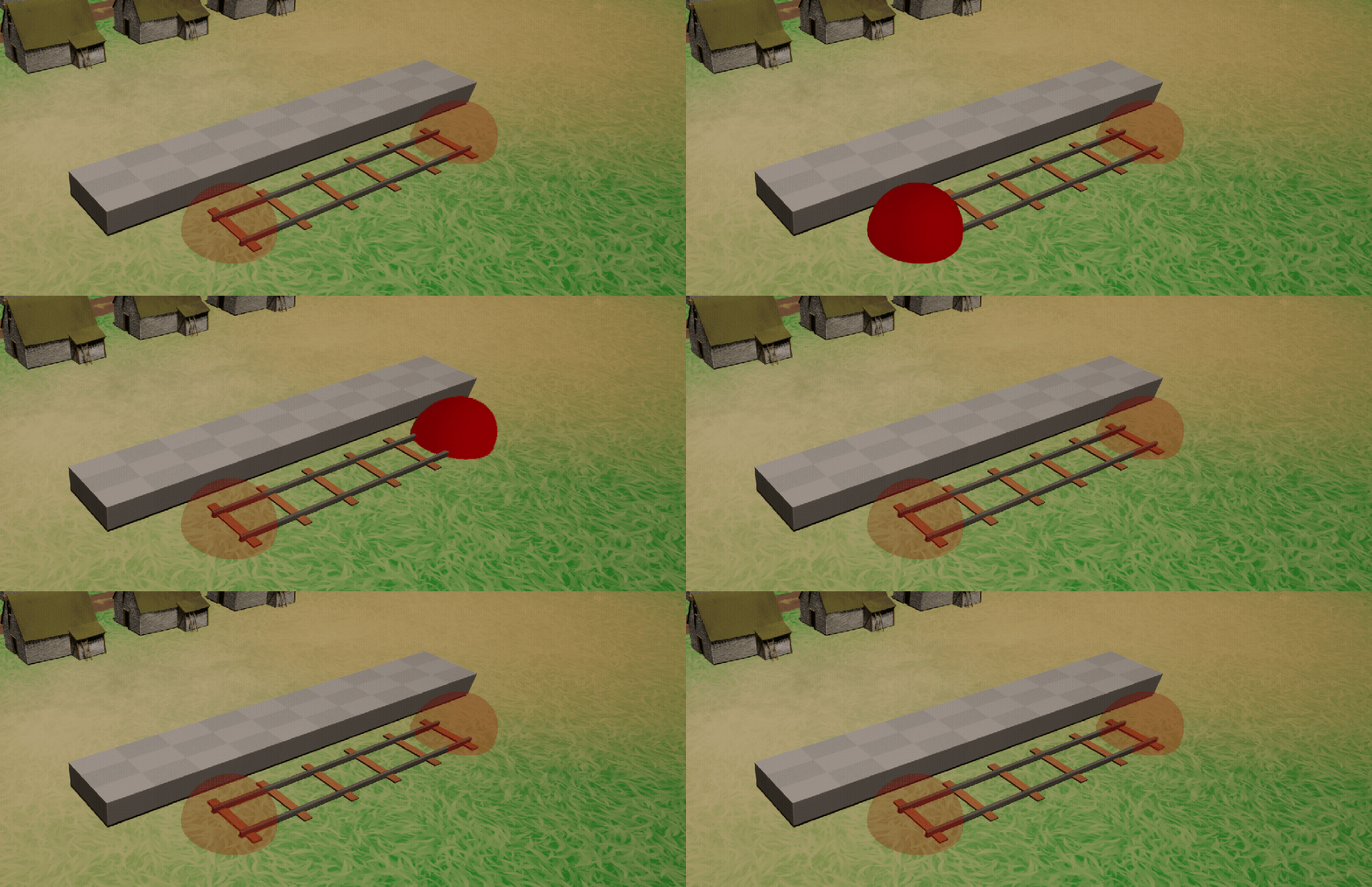
Quite pleased with Unreal’s ease on this front – it was super quick to create a small Blueprint for the spot, add it to the basic platform blueprint, and change the material opacity while the spot was getting hovered over.
I also created an Blueprint interface – this defined a way for the spot to send a location to a Build Manager blueprint (next step) to make sure any track was snapped to the spot location.
I then created the Build Manager as a main class that could be used by my Player Controller Blueprint. This effectively added a way to feed information in to left and right clicks handled by the controller. Already wary at this stage of keeping the Player Controller clean and properly handling the game going into different modes – Buildings, Rail, etc.
Again, fairly simple with the User Input events in Unreal to get something up and running.
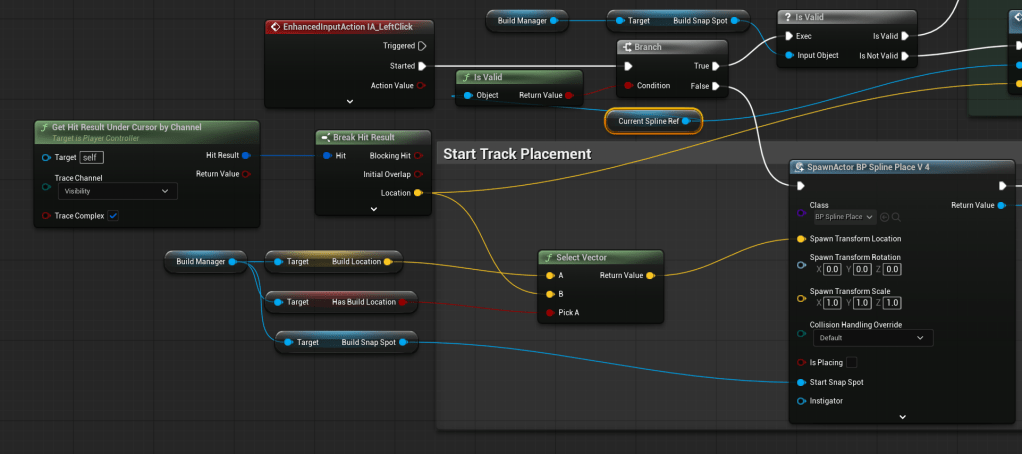
Really straightforward to get a left click, see where it hit in the world, and create a new Spline Place actor. (note version 4 for the Spline Placer, after the first 3 versions were completely junked!!)
This creates an actor with a spline component, where the real engine of placement lies, and looks a lot less clean!
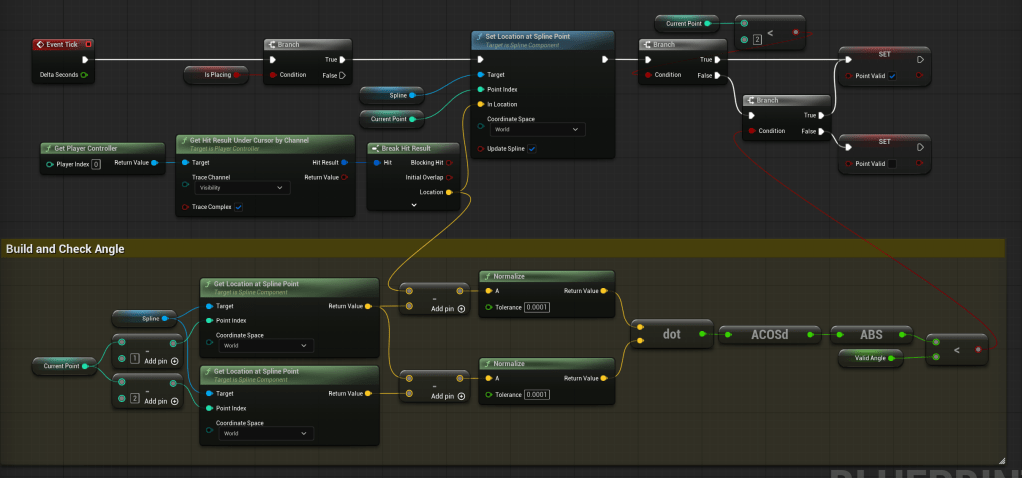
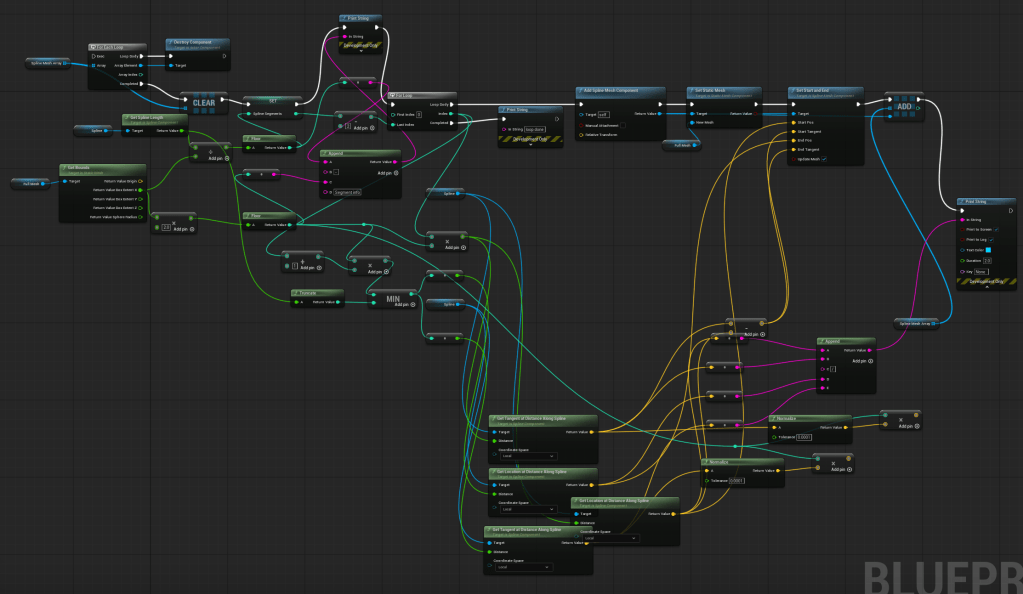
This was challenging to say the least. Quite pleased with some functions – the first blueprint above checks whether each point bends the tracks more than an allowed limit, to try and make the railway laying realistic, rather than the sharp turns that are often allowed.
The second one above was less successful – an attempt to show a “ghost” track before the user lays it ended up in spaghetti hell. Eventually I landed on just showing the spline line – once placed by connected to an end spot or a right click, the placing Blueprint steps through the spline, places point at regular intervals (replacing the user placed ones), then places railways meshes along the place. End result is at least part of the way there!
Next up – trying to decide between the fun bit of getting the little train to start moving along the new track, or whether I look at the Save Game system for persisting the track that’s just been created, which on the face of it looks like it’s going to be a LOT more complicated than I thought.
 Flag Hippo Games
Leave a comment